
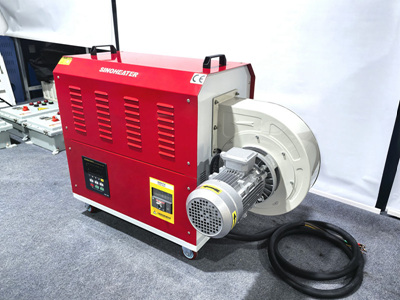
Essential Cleaning and Maintenance Tips for Hot Air Blower Fan Blades
Fan blades are critical components of hot air blowers, responsible for circulating heated air efficiently. Over time, dust, debris, and environmental contaminants can accumulate on the blades, reducing airflow, increasing energy consumption, and even causing mechanical failures. Proper cleaning and maintenance ensure optimal performance and extend the lifespan of the equipment.
Understanding the Impact of Dirt on Fan Blades
Reduced Airflow Efficiency
Dust and grime buildup on fan blades creates an uneven surface, disrupting airflow patterns. This forces the motor to work harder to maintain the same output, leading to higher energy bills and premature wear. For example, a study found that a 10% reduction in airflow due to dirty blades can increase power consumption by up to 25%.
Increased Noise Levels
Imbalanced blades caused by uneven dirt distribution produce vibrations, resulting in annoying rattling or humming sounds. In severe cases, these vibrations can loosen other components, such as mounting brackets or electrical connections, creating safety hazards. Regular cleaning helps maintain smooth operation and minimizes noise pollution.
Corrosion and Material Degradation
In humid or chemically exposed environments, contaminants like moisture, salt, or industrial chemicals can corrode fan blades. This weakens the structural integrity of the blades, increasing the risk of cracks or breakage during operation. Identifying early signs of corrosion during inspections allows for timely intervention.
Step-by-Step Cleaning Process for Fan Blades
Preparing for Cleaning
Before starting, disconnect the hot air blower from the power source to avoid electrical shocks. Wear protective gloves and safety goggles to shield yourself from sharp edges or flying debris. For ceiling-mounted units, use a sturdy ladder and ensure it’s placed on a flat surface.
Removing Loose Debris
Use a soft-bristled brush or a vacuum cleaner with a brush attachment to gently dislodge dust from the blades. Start from the center and work outward to prevent pushing debris deeper into the motor housing. For hard-to-reach areas, wrap a microfiber cloth around a long, flexible tool like a ruler or dowel.
Deep Cleaning with Mild Solutions
For stubborn grime, dampen a cloth with a mixture of warm water and mild dish soap. Wring out excess liquid to avoid dripping onto electrical components. Wipe each blade carefully, applying light pressure to avoid bending or damaging the surface. If oil or grease is present, add a few drops of white vinegar to the solution for better degreasing power.
Drying and Reassembling
After cleaning, use a dry, lint-free cloth to remove any remaining moisture. Allow the blades to air-dry completely before reconnecting the power supply. Ensure all screws or clips are securely fastened to prevent vibrations during operation. Test the blower briefly at a low speed to confirm smooth rotation.
Advanced Maintenance Practices for Long-Term Performance
Lubricating Moving Parts
Some fan assemblies include bearings or bushings that require periodic lubrication to reduce friction. Refer to the manufacturer’s guidelines for the recommended lubricant type and application frequency. Over-lubricating can attract dust, so use only a small amount and wipe away excess with a clean cloth.
Checking for Balance and Alignment
Imbalanced blades cause excessive wear on the motor and support structures. Use a blade balancing kit or a simple string test to check for alignment. Hang the fan assembly from a string and observe if it rotates freely without wobbling. If imbalance is detected, adjust the blades or redistribute weight evenly.
Protecting Against Environmental Damage
In dusty or corrosive environments, install a pre-filter or enclosure to shield the fan blades from contaminants. For outdoor units, use weather-resistant covers during off-seasons to prevent moisture buildup. Regularly inspect the area around the blower for signs of pest infestations, as rodents or insects can nest in the blades and cause damage.
By following these cleaning and maintenance practices, you can ensure your hot air blower operates efficiently and reliably. Regular attention to fan blades not only improves performance but also reduces the likelihood of costly repairs or replacements down the line.


